
Pi Agent
官方授权pi-agent-desktop contributors
Desktop app for the pi coding agent
已复制!粘贴到终端并按回车即可安装。
关于
This is a community package of Pi Agent, maintained independently. It repackages the official upstream Linux Debian build unmodified.
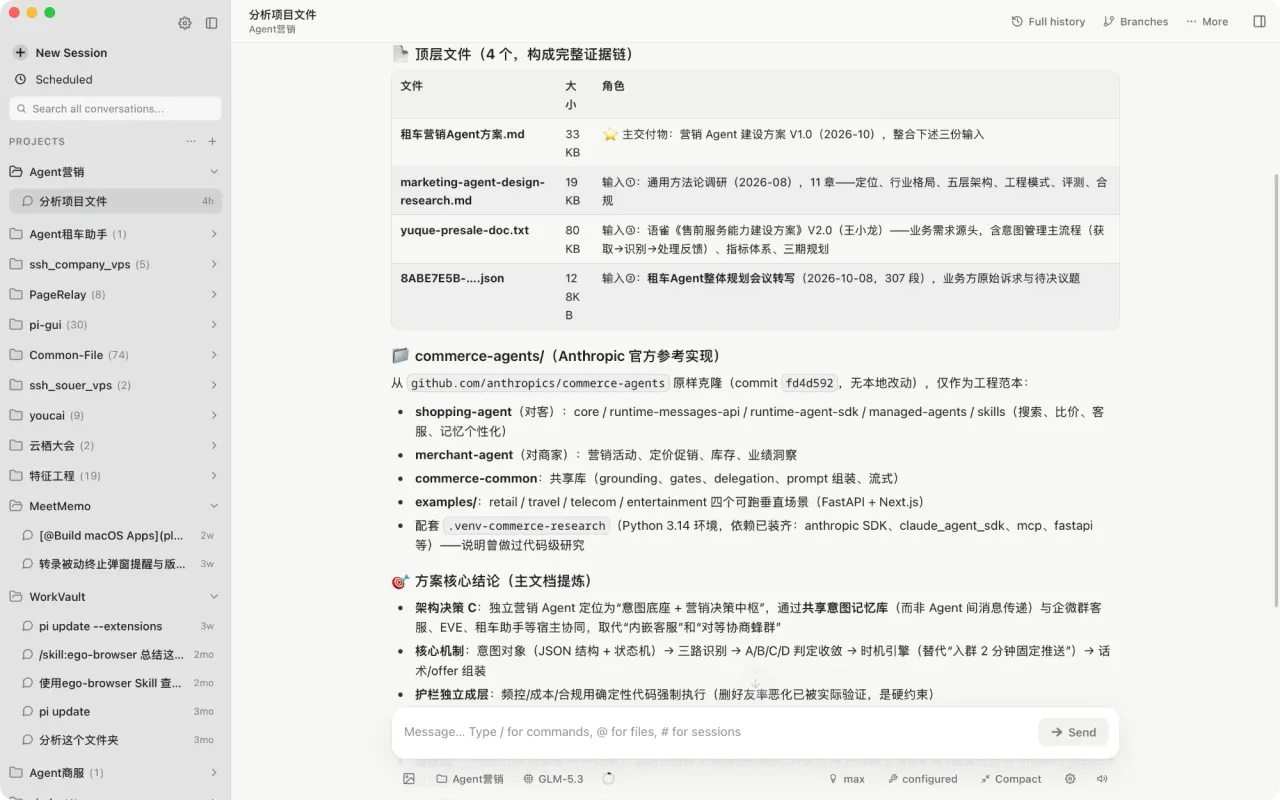
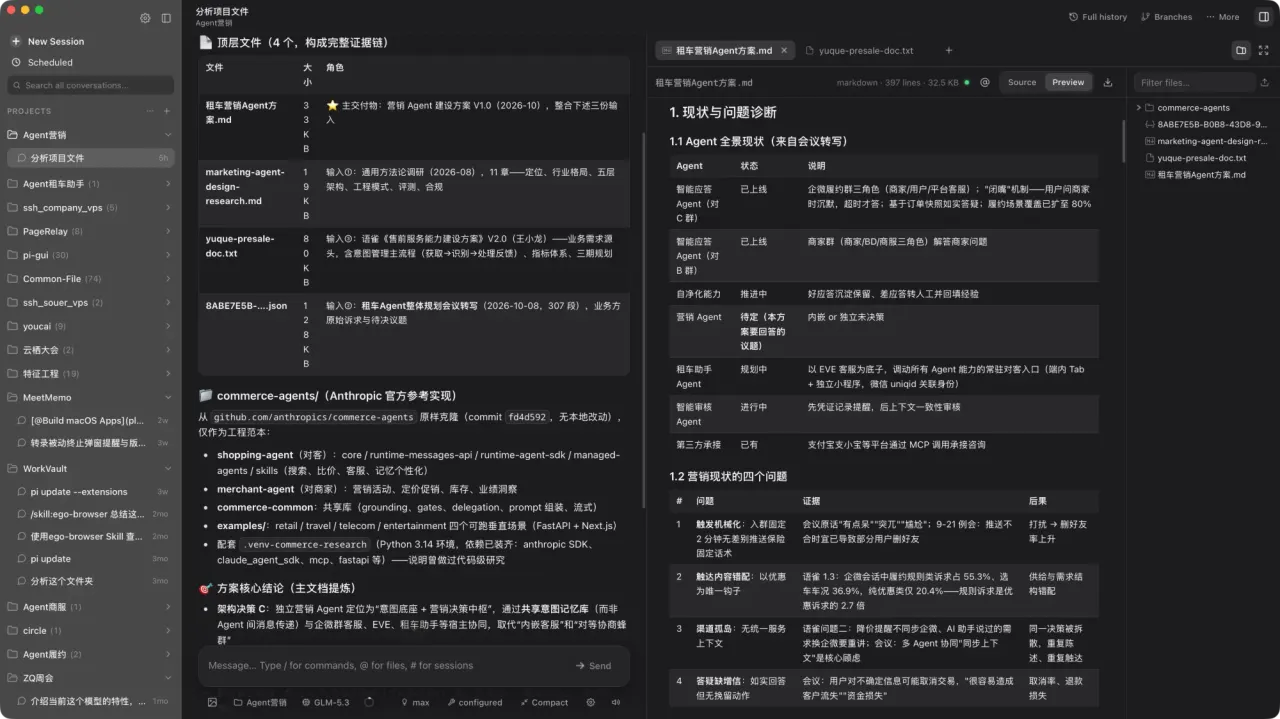
Pi Agent puts the pi coding agent in a desktop window. It bundles the Next.js server, the Node.js runtime and the Pi SDK, so the local server starts with the app — no terminal, no separate Node installation and no manually started web server.
- Browse and resume past Pi sessions by project instead of digging through session files.
- Watch a run live, with thinking, tool calls, context usage, cost and compaction state visible.
- Continue from any earlier message as a branch, or fork a conversation into its own session.
- Manage models, OAuth and API keys, custom model configuration, skills and plugins.
- Switch Git worktrees from the sidebar and preview source, diffs, Markdown, images, audio, PDF and DOCX.
Pi Agent reads pi's own data directory, ~/.pi/agent, so an existing terminal setup — sessions, models and authentication — is picked up on first launch. Installing this package does not install a global pi command; the CLI is a separate install from the pi project.
A provider account or API key is required for the agent itself; the app is free to install.
Permissions: this package grants network, display, GPU, audio, notifications and tray access, plus its own ~/.pi directory. It does not grant broad home-directory access by default.
The agent shells out to developer tools that no Flatpak runtime ships — Git above all, which the worktree switching and the diff views are built on. This package puts a bridge on the app's PATH that forwards those commands to the same tools on your host, so your existing Git, Node and language toolchains, and the credentials you have already authorized there, are what run. FlatPark does not bundle or authenticate any of them.
Because host commands run against real host paths, grant access to where your projects live so the app and those commands agree on what a path means:
- Open host projects at their real paths:
flatpak override --user --filesystem=home io.github.abcwyc.pi-agent-desktop - Or scope it to one directory:
flatpak override --user --filesystem=~/Projects io.github.abcwyc.pi-agent-desktop - Reuse your host SSH keys for Git remotes:
flatpak override --user --filesystem=~/.ssh:ro io.github.abcwyc.pi-agent-desktop
Updates come through Flatpak: this package tracks upstream's GitHub releases, so use flatpak update rather than the in-app upgrade button, which installs into a location the sandbox does not own.
详情
权限
4 项需确认网络访问
可访问互联网和本地网络
文件:xdg-run/tray-icon:create
文件:~/.pi:create
与 org.freedesktop.Flatpak 通信
可通过 flatpak-spawn 在主机上执行命令
进程间通信
与主机共享 IPC 命名空间
X11(回退)
音频(PulseAudio)
与 org.freedesktop.Notifications 通信
与 org.kde.StatusNotifierWatcher 通信
Wayland 显示
GPU 加速
打包方式
隔离降低在你的系统上执行命令
智能体执行的命令通过宿主命令桥(flatpak-spawn)转到你的系统上运行,在沙箱之外、拥有你这个用户的权限。沙箱自带的 shell 和基础工具仍在沙箱内运行。
补充 runtime 缺少的组件
随应用附带:ayatana